
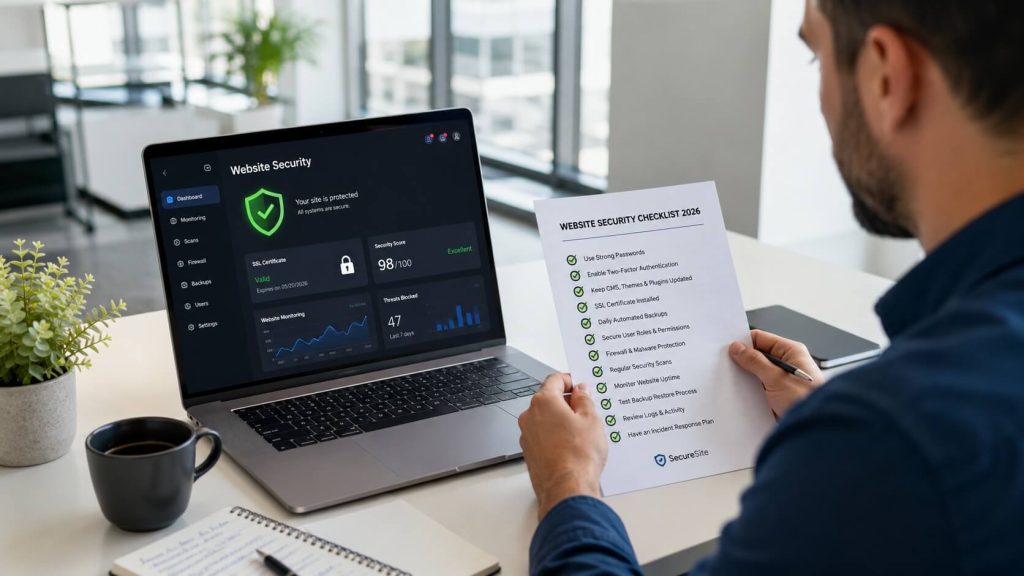
Quick Answers for Business Owners
➤ What Is a Website Security Checklist?
It is a structured list of controls that reduce the risk of breaches, data loss, and site downtime.
➤ Does Security Change Year to Year?
Yes, threats evolve, so controls must be reviewed and updated regularly.
➤ Is Security Only a Technical Concern?
No, it also includes access rules, update habits, and recovery planning.
The Website Security Checklist Direct Answer
A website security checklist defines the minimum controls needed to protect a business site in 2026. It focuses on prevention, detection, and recovery rather than tools alone. The checklist works because each control addresses a specific failure point in access, software updates, or data recovery.
Website Security Controls Comparison & Data
| Control Area | Without Checklist | With Checklist |
|---|---|---|
| Access Control | Shared credentials | Role-based access |
| Data Recovery | Manual rebuilds | Verified backups |
| Update Safety | Ad-hoc updates | Tested update flow |
How Security Gaps Actually Appear
Security failures are rarely dramatic at first.
For many owners, website security checklist 2026 becomes relevant only after repeated issues surface, which is why ongoing oversight connects closely to website maintenance Chicago.
This happens because unattended sites accumulate outdated software, directly increasing monitoring effort and recovery time when issues finally appear.

What Actually Happens in Practice
Most compromises begin quietly.
Attackers exploit outdated plugins, weak passwords, or missing backups long before owners notice visible damage.
In Real Situations, Businesses Usually:
➤ Delay updates due to fear of breaking the site
➤ Reuse passwords across roles
➤ Discover problems after traffic drops
One sentence reality.
Security problems surface after neglect, not instantly.
The Insider Perspective on Backups
Backups are the last line of defense.
When backups are automated and verified, recovery takes minutes instead of days, which is why processes explained in backup your website guide are foundational.
This affects tooling and storage decisions because backups must be isolated, tested, and retained consistently.

A Common Myth About Website Security
➤ Myth: Small business sites are not targeted.
➤ Reality: Automated attacks scan all sites, not just large ones.
➤ Local Nuance: Risk increases with visibility, not company size.
Why Safe Updates Matter
Updates introduce risk as well as protection.
Installing changes without testing can break functionality, which is why workflows outlined in updating plugins safely reduce downtime and rollback effort.
The process impact appears in review cycles because safe updates require staging checks, not live experimentation.

FAQs About the Small Business Website Security Checklist 2026
Does a Security Checklist Increase Ongoing Workload?
Yes, security requires continuous attention.
Threats change as software and attack methods evolve.
This affects maintenance hours.
Can Missing Checklist Items Force a Rebuild Later?
Yes, severe breaches often require structural fixes.
Compromised systems may need clean reinstallation.
This affects rebuild scope.
Does Security Planning Affect Data Ownership?
Yes, ownership depends on access and backup control.
If data cannot be restored independently, control is limited.
This affects ownership rights.
Meet the Expert
Omid Mohsenian is a Senior Strategist at Keyvelopers with first-hand experience evaluating website security and maintenance risks for small businesses. His work includes auditing access control, backup reliability, and update safety practices that influence long-term stability and recovery outcomes.
Verified profile: https://www.linkedin.com/in/omid-mohsenian-34422b4a/

keyvelopers is an SEO & AI search strategist specializing in Semantic SEO, entities, and GEO‑focused optimization.